 Calmly Writer

Focus Mode and full screen
Dimming everything but the paragraph you are writing, hiding the cursor and the tabs, and taking the whole screen.
Focus Mode
Ctrl+M⇧⌘M dims every paragraph except the one you are writing in, so the page narrows to the sentence at hand. Move the cursor and the light moves with it. Press the shortcut again to turn it off, or use .
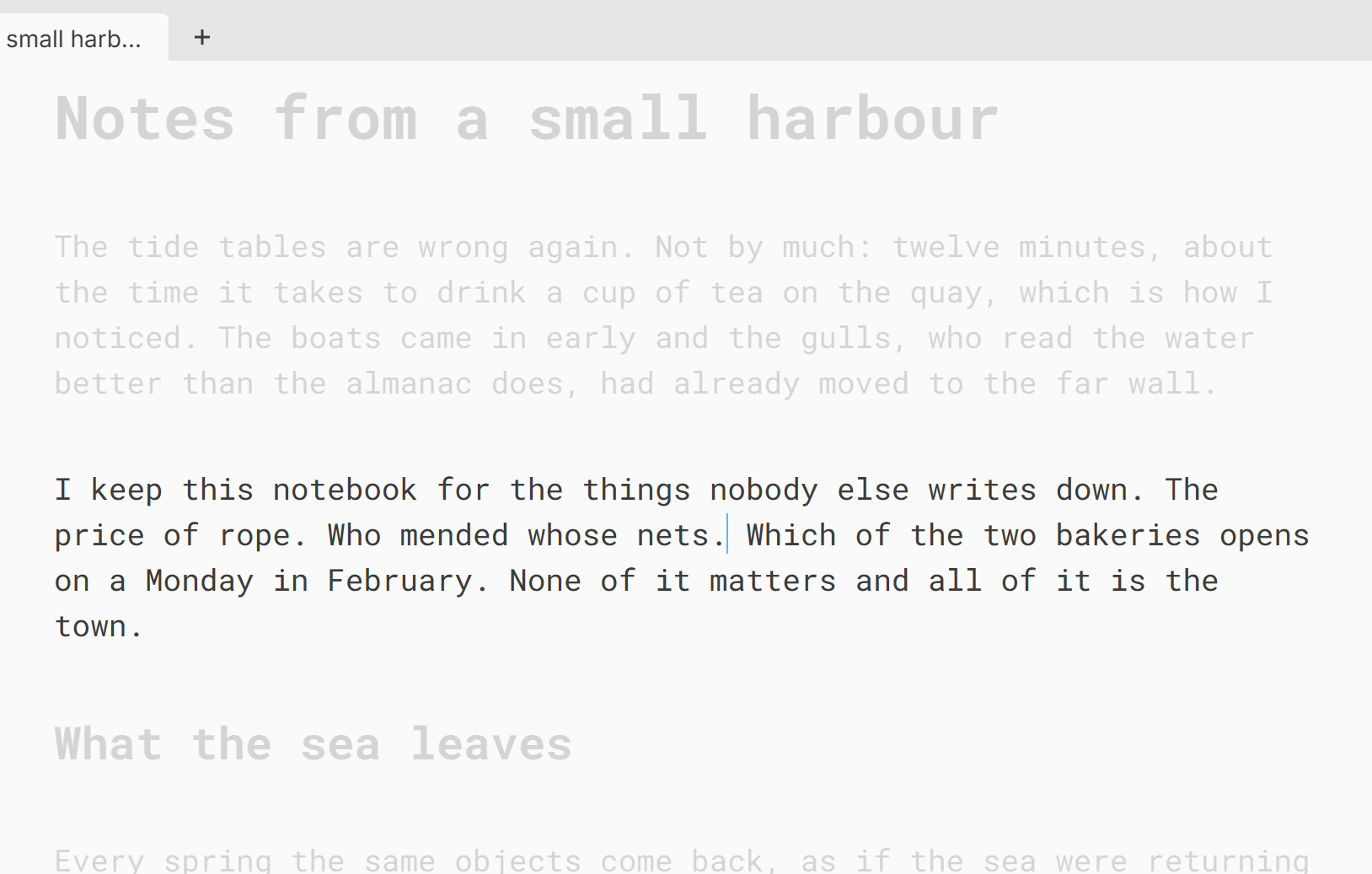
The slider under the setting decides how far the other paragraphs fade: from barely dimmed to almost invisible.
Fewer moving parts
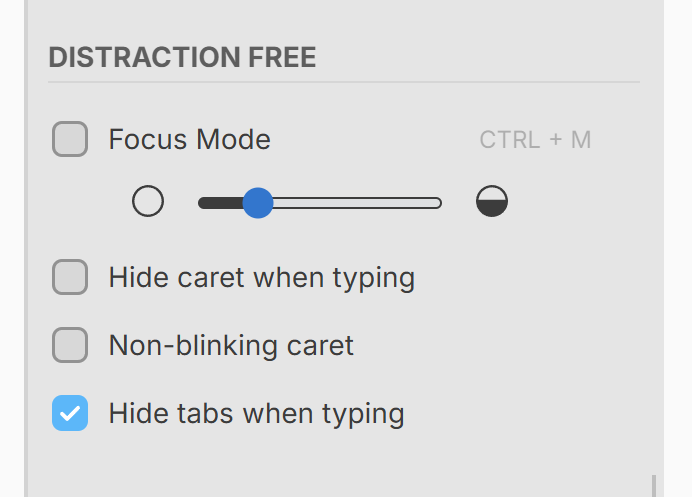
The same section has three more switches for a quieter screen:
- Hide caret when typing hides the text cursor while you type and brings it back when you stop.
- Non-blinking caret keeps the cursor still instead of blinking.
- Hide tabs when typing fades the tab strip and the table of contents icon while you type; they come back when you move the mouse to the top of the window. It is on unless you turn it off.
The text always scrolls so that the line you are writing stays around the middle of the window, the way a typewriter keeps the current line in the same place. There is no setting for it.
Full screen
F11⌃⌘F takes the whole screen, and EscEsc or the same shortcut gives it back. On Android the app is always full screen; the option to hide the system’s status bar as well is described in Android and Chromebook.
More in Focus and appearance
Six themes and a colour of your own, the colour of the text and of the cursor, and the shape of the cursor.
The three built-in typefaces and the ones on your system, the width of the text column, the size of the type and the space between lines and paragraphs.
The counter at the bottom of the window, what it can show, and a target in words or characters for the document.
A sound for every key, in three flavours, with its own volume.