 Calmly Writer

Spelling and languages
The spell checker and its languages on each system, adding words to the dictionary, and the language of the app itself.
The spell checker
underlines words the dictionary does not know. Right-click an underlined word for suggestions, or for Add to dictionary when the word is right and the dictionary is wrong.
Where the dictionaries come from depends on the system:
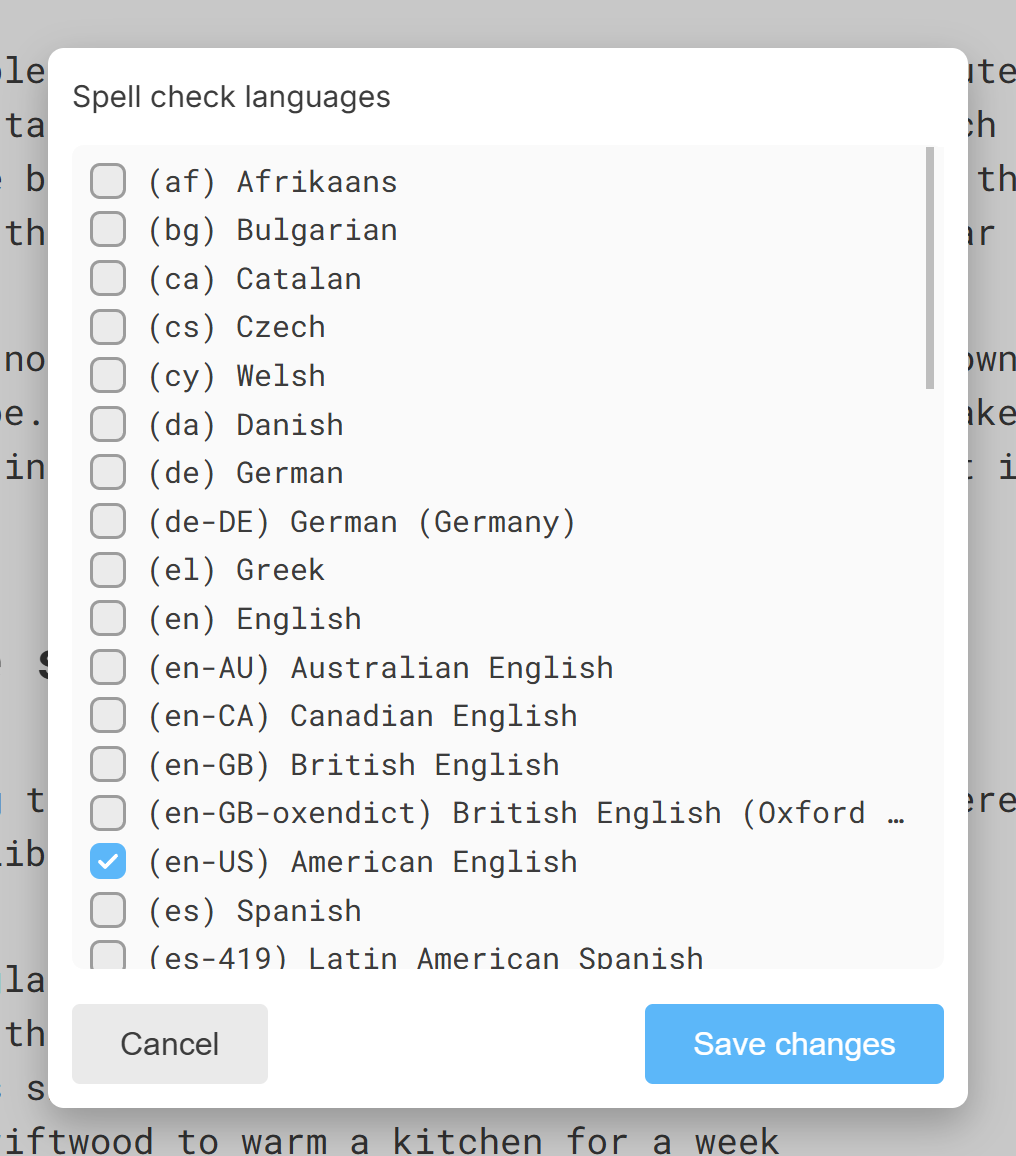
- Windows and Linux: the app has its own. Press Ctrl+L or click the ⋮ next to the setting, and tick one or more languages; a document in two languages can be checked in both at once.
- Mac: the spell checker is the system’s, and uses the language set in System Settings.
- Android: spelling is the keyboard’s job, not the app’s. Gboard and the other keyboards check as you type, with their own settings.
The language of the app
The menus and settings are in English, Spanish, German, French, Italian and Portuguese. The app starts in the language of your system; to use another, choose it in . The change takes effect when the app restarts, and the app offers to restart there and then.
The language of the app also decides the default quotation marks.
More in Writing
The Markdown shortcuts that turn into headings, lists and emphasis while you type, and the ones you can turn off.
The small toolbar that appears over selected text, and the reminder of shortcuts that shows when you hold Ctrl or Cmd.
Six levels of heading, the panel that lists them, and the keys that move through it without touching the mouse.
Bulleted, numbered and checklist items, nesting them with Tab, and turning one kind of list into another.
Links to web pages, to other documents on your disk and to headings in the same document, and how to follow them.
Four ways to put a picture in a document, the difference between embedding and linking one, and what the editor does not do with images.
The slash menu that inserts blocks, the toolbar that edits tables, and the rules that keep them compatible with Markdown.
Notes attached to a passage, in three colours, which travel with the document and never print.
Curly quotes, dashes, ellipses and arrows written for you as you type, the quotation marks of your language, and how to turn each one off.
Right-to-left writing for Arabic, Hebrew, Persian and other scripts, per document or for every new document.
Searching the document or every open tab, and a replace that keeps the capitals of what it finds.
What happens to formatting when text comes in from elsewhere or goes out, and the two ways to copy a document as code.